Configuration panel
All receiver settings are changed from a web page served by the receiver itself: there is nothing to install, a browser is all you need.
Entering configuration
Configuration is entered from the receiver menu. The display shows WiFi Config, then the network to join and the address to open (see The display).
The page only responds in configuration
Outside configuration, port 80 is closed and the browser reports that it cannot connect: this is not a fault. To get back in, simply put the receiver into configuration again from the menu.
Once the address is open, the panel appears:
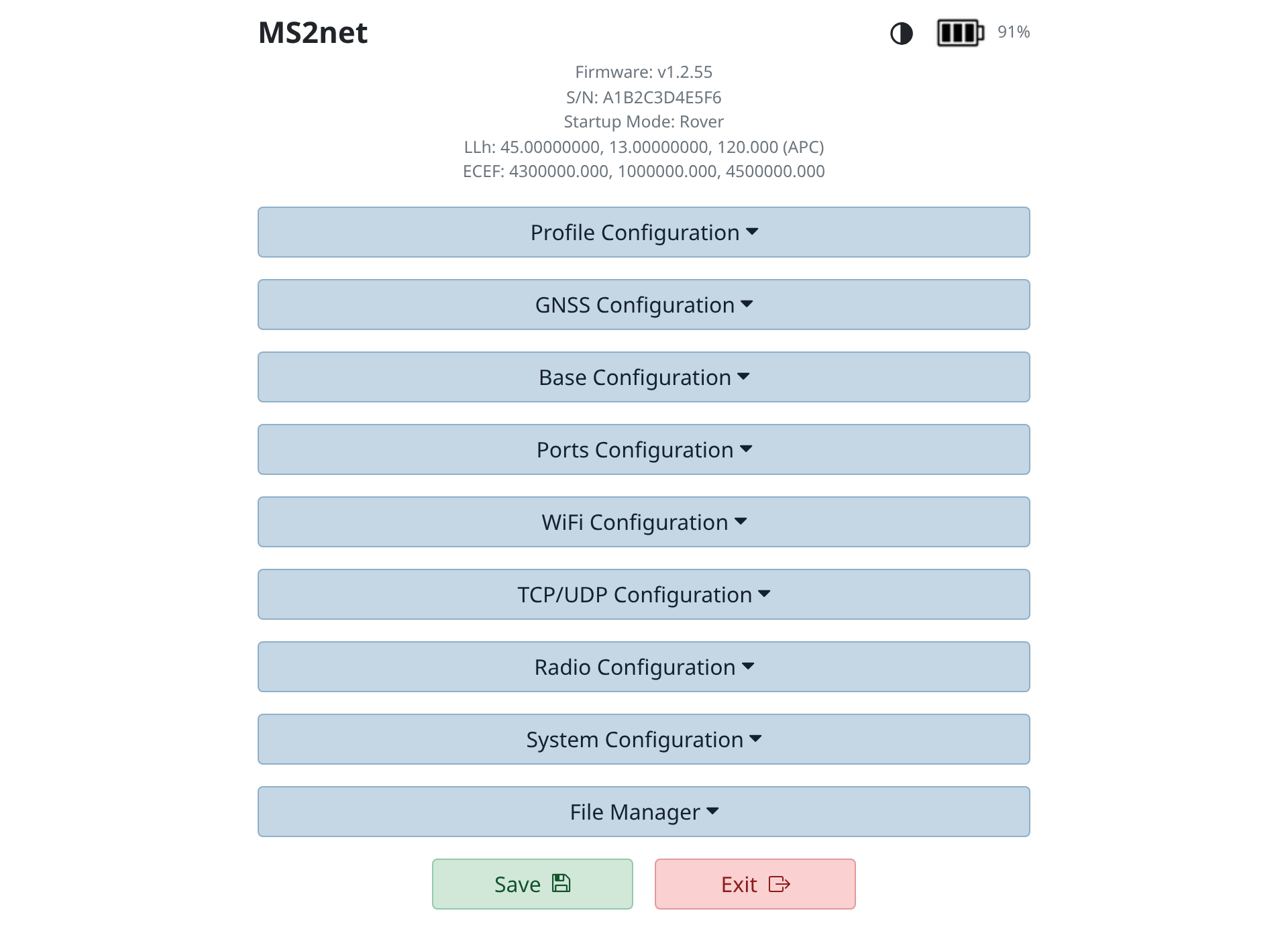
At the top are the receiver name, the firmware version, the serial number, the startup mode and the current coordinates. Below, one row per section: open the one you need and leave the rest collapsed.
The page follows the system theme, light or dark, and the icon at the top right lets you switch it manually.
Saving and exiting
At the bottom of the page there are two buttons: Save stores the settings, Exit leaves configuration and restarts the receiver in the configured mode. Unsaved changes are lost on exit.
The sections
Profile
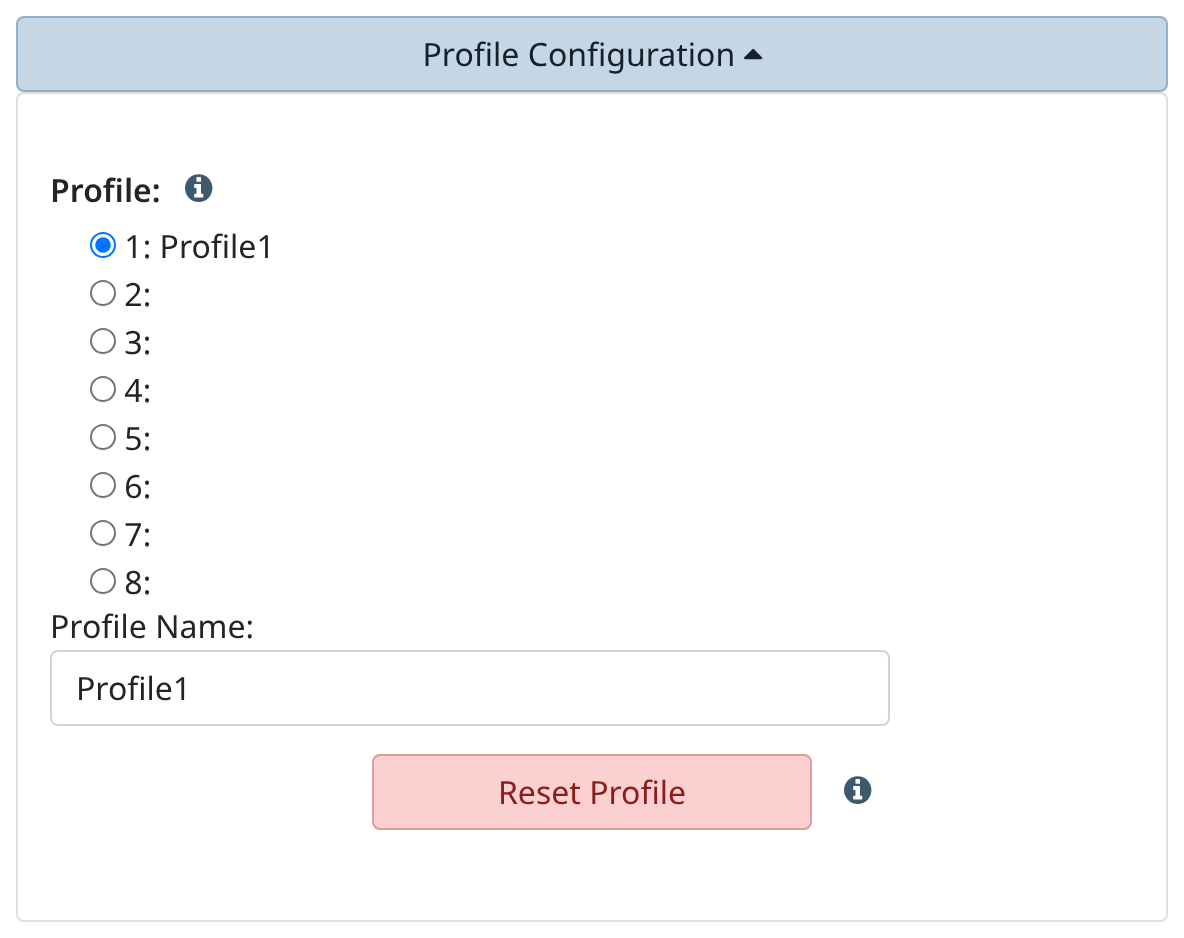
The receiver holds several profiles, that is several complete sets of settings. You choose which one to use and give it a name; on restart the receiver comes back up with the selected profile.
GNSS
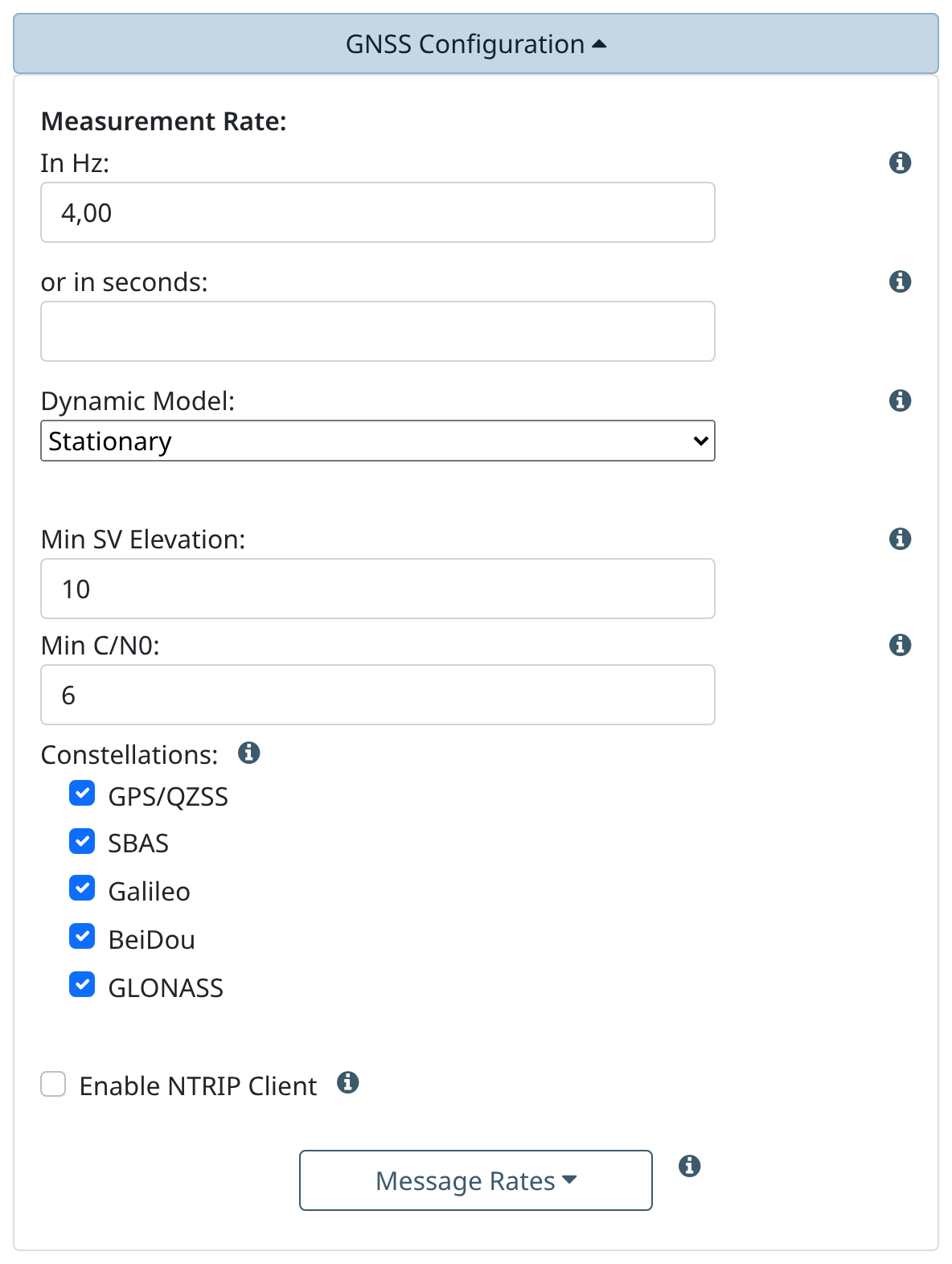
Measurement rate, dynamic model, minimum satellite elevation and the constellations to use. This is also where the NTRIP client is enabled, that is reception of corrections from a caster.
Base
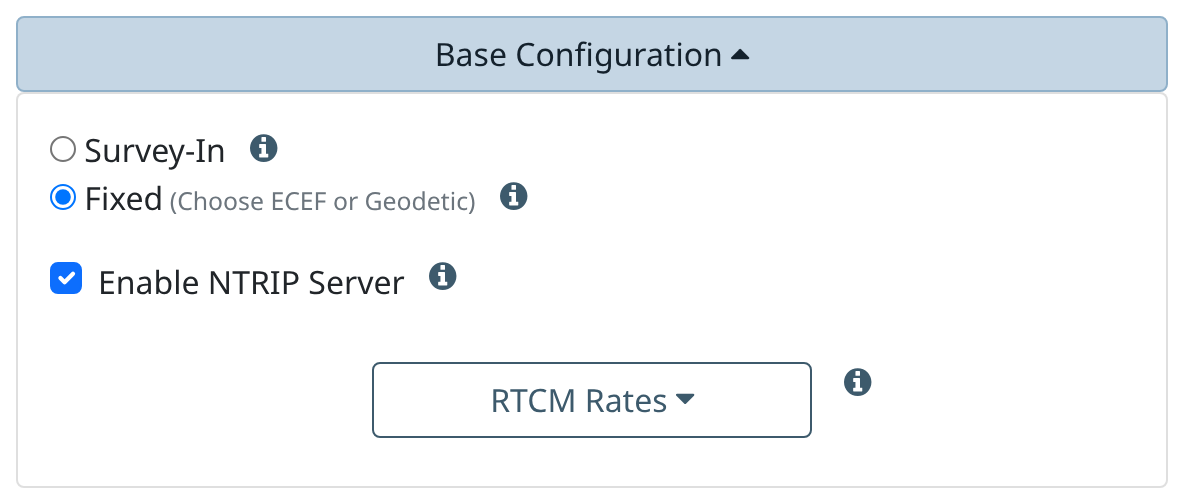
Choice between a surveyed base (survey-in) and a base on fixed coordinates, and sending corrections to a caster with the NTRIP server.
Ports
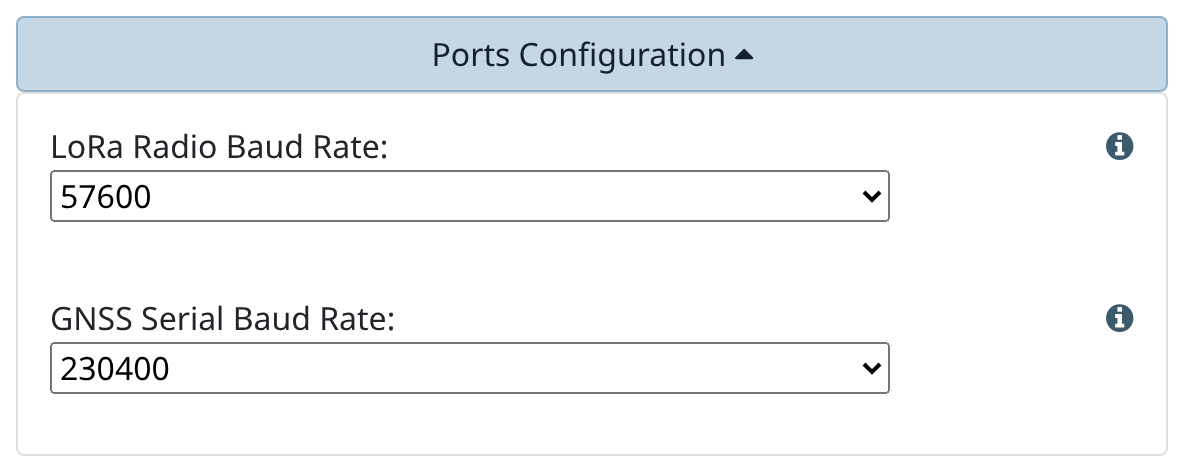
Serial port baud rates and the choice of what is output on each one.
WiFi
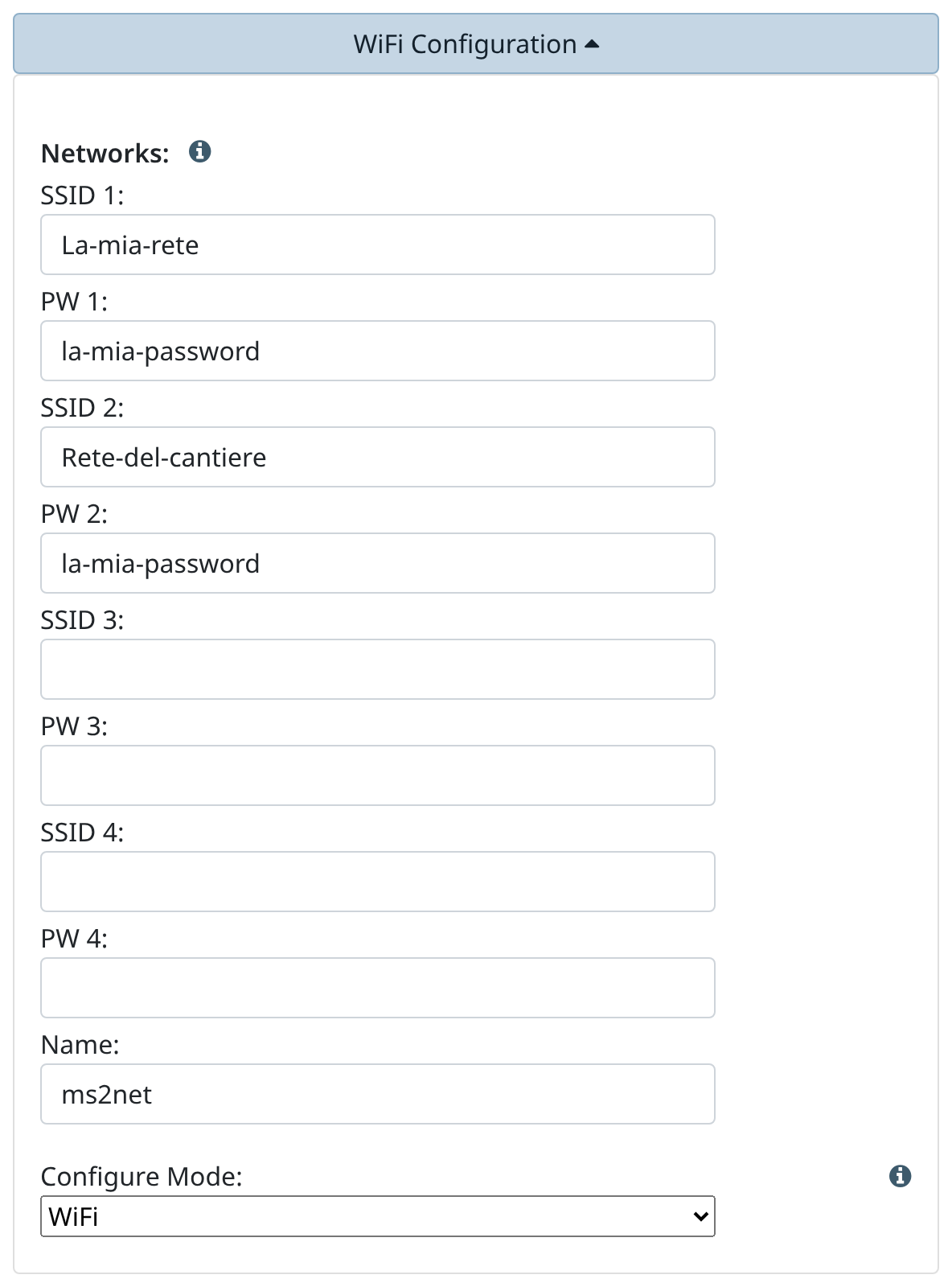
Up to four networks, tried in order: the receiver uses the best one available. The Name field is the name the receiver announces on the local network; leaving it empty reverts to the factory name, which includes the last four digits of the serial number.
TCP/UDP
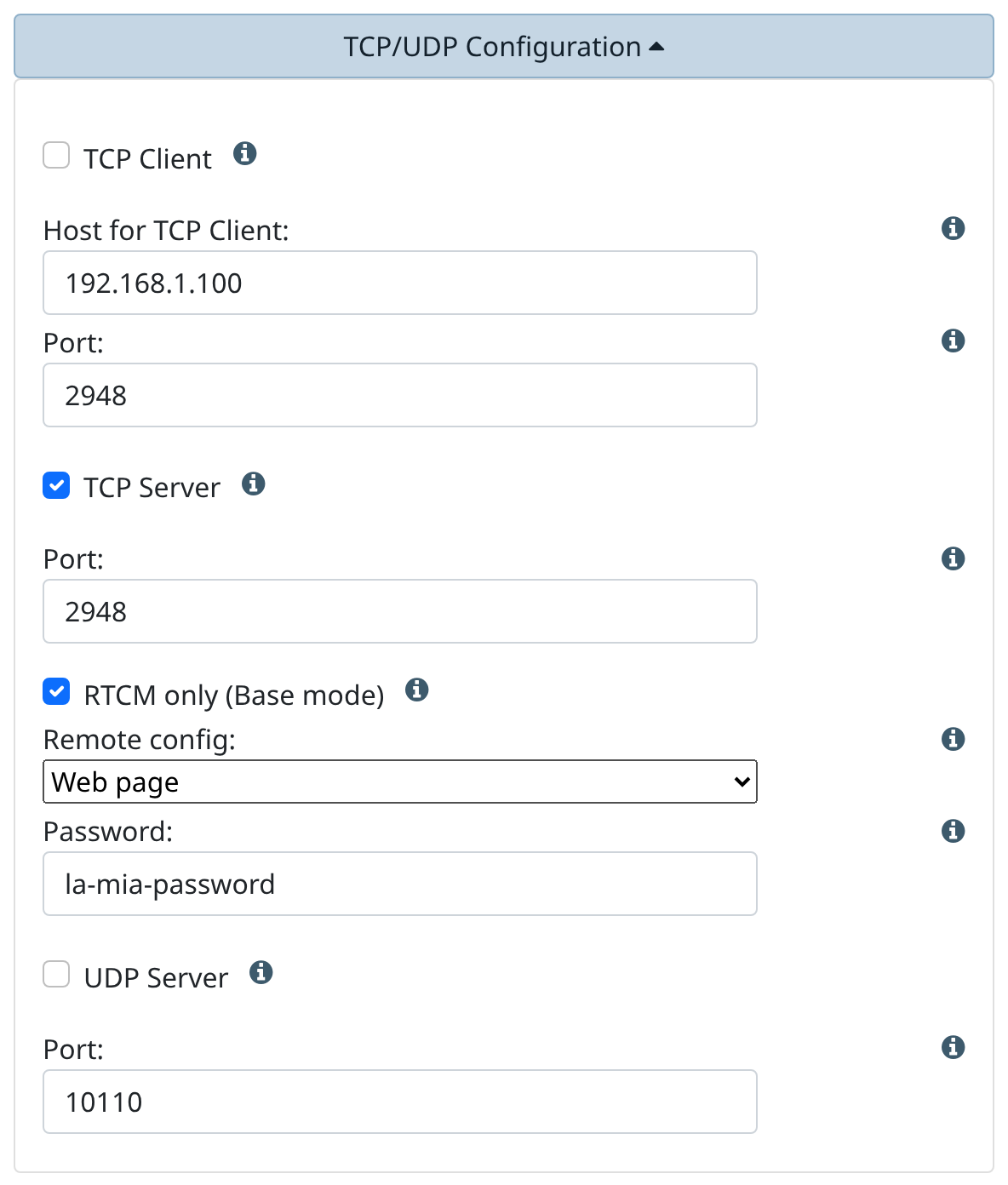
The receiver can make position data available over the network, as a server or as a client, and broadcast it over UDP.
System
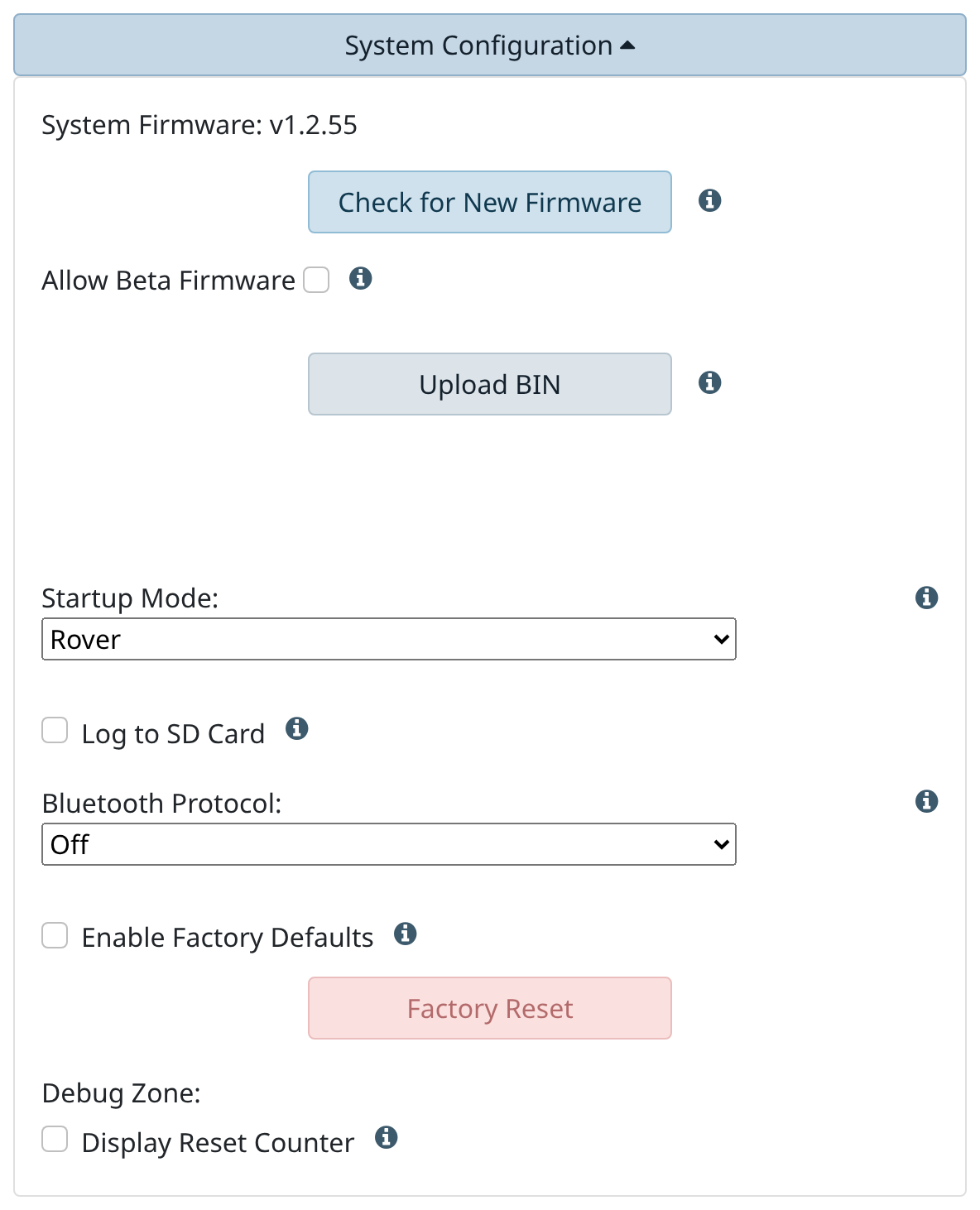
Startup mode, microSD logging, firmware update and the other general items.
File Manager
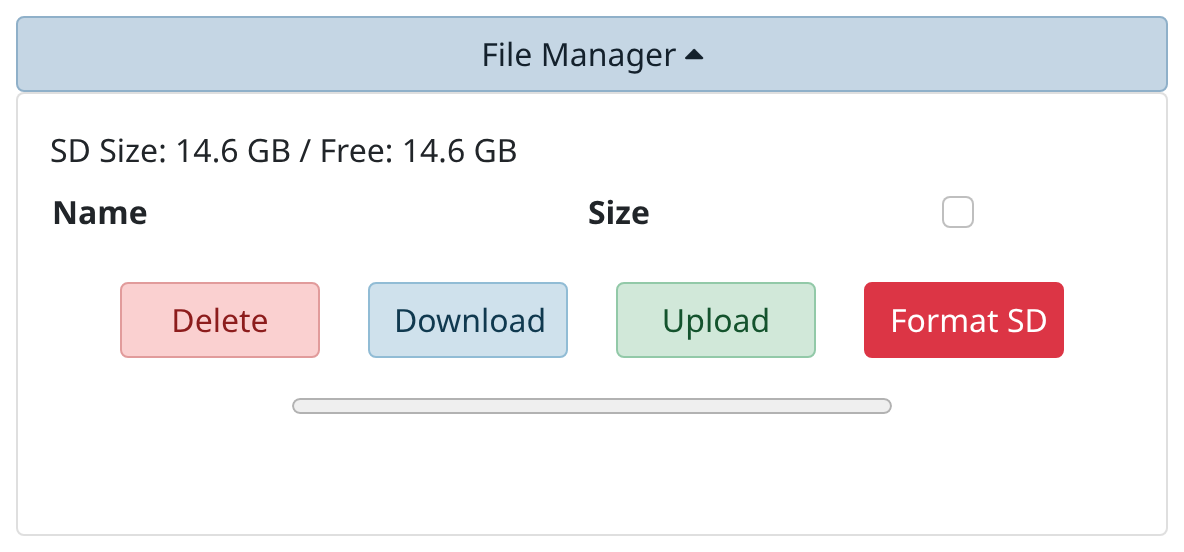
Shows the microSD space and the recorded files: they can be downloaded and deleted, and files can be uploaded.
Format SD
The Format SD button erases the entire card, recordings included, and cannot be undone.