RTK corrections
RTK (Real-Time Kinematic) positioning needs two units: a base, standing still on a point, and a rover, the one that moves. The base sends RTCM corrections; the rover combines them with its own measurements and reaches centimetre-level accuracy with respect to the base. MS2net works in either role; this page shows how to choose the role, how the corrections travel, and four ready-made setups.
Choosing the mode
| How | What happens |
|---|---|
| Rover or Base in the button menu | The station switches to that mode now. |
| Startup Mode in System | The mode it starts in at power-on and after Exit from Config mode. |
The two are the same setting: Rover or Base from the button menu also changes Startup Mode, so the station starts again in the mode it last worked in. The exception is Startup Mode on WiFi Config: then every power-on opens Config mode (see System).
Choosing the link
| Link | Direction | What it needs | Distance | Where it is set |
|---|---|---|---|---|
| ESP-Now | Base → rovers | Two MS2net units, nothing else; paired, or any unit in range with Broadcast Override | A few hundred metres in line of sight at most; obstacles shorten it a lot (Range and link) | ESP-Now radio |
| 868 MHz radio | Base → rovers | The built-in 868 MHz radio (LOR antenna) on each unit, at the same port speed | A few kilometres in line of sight; less with obstacles and low antennas | Ports |
| NTRIP | Base → caster → rovers | A saved WiFi network with Internet access, and a caster | Unlimited, as long as both are online | Rover: NTRIP client · Base: NTRIP server, up to two casters at once |
| TCP server | Base → programs on the local network | A saved WiFi network | Local network | TCP/UDP › TCP Server, with RTCM only (Base mode) |
| Bluetooth | Phone or controller → rover | An app with its own NTRIP client, connected over Bluetooth | Phone's Internet connection | App side |
868 MHz radio or ESP-Now. The radio reaches a few kilometres in line of sight, but its band is narrow: the base sends it the lighter EU 868 MHz set. ESP-Now reaches a few hundred metres at most, so it suits work on a single site; its band is much wider, so the base can send all its messages, at the factory rates or faster.
Links can be used together: a base can transmit on the 868 MHz radio and to a caster at the same time.
Which RTCM messages the base sends, and how often, is set in
Base › RTCM Rates; EU 868 MHz there is the set
for the 868 MHz radio. On a caster the station introduces itself as NTRIP SoluTOP MS2net/ followed
by its firmware version, for example NTRIP SoluTOP MS2net/v1.3.N.
Survey-In or Fixed
A base must know where it stands. Both methods are set in Base.
| Method | When | How it works |
|---|---|---|
 Survey-In (factory) |
The position of the point is not known | The base waits for a horizontal accuracy better than 1 m, then averages its own positions until both the minimum time and the required accuracy are reached. |
 Fixed |
The coordinates of the point are known | The coordinates are typed in, ECEF or latitude, longitude and height; the base transmits at once. If the GNSS module refuses them: Base Failed and the station goes on as a rover (Troubleshooting). |
Survey-In is relative
A survey-in position has the error of a standalone position, from decimetres to a metre or more. Rovers are precise with respect to the base, but the whole survey is shifted by that error. When absolute coordinates matter, set the base on a known point with Fixed.
As a base the station always works at one measurement per second, whatever measurement rate is set for the rover.
Recipes
Unless a step names the button menu, the steps are done on the configuration page, with the station in Config mode (see Getting started › Open the configuration page), and a single Save at the end keeps them all. Every recipe sets Startup Mode before Save, so the station enters its working mode on Exit; choosing Rover or Base from the button menu after Exit gives the same result.
1 · Rover on an NTRIP caster
Before starting: the caster data given by the correction service (host, port, user, password, mount point) and a WiFi network with Internet access in the field (a phone hotspot works).
- In WiFi › Networks, add the network the rover will use in the field.
- In GNSS › NTRIP client, tick Enable NTRIP Client and fill in caster, port, user, password and mount point. Keep Transmit GGA to Caster on for network services (VRS, nearest mount point). If the station was paired with E-Pair, set Radio back to Off in ESP-Now radio (or tick ESP-Now Gateway): otherwise the rover keeps WiFi off and the NTRIP client does not start.
- In System, set Startup Mode to Rover, then press Save and Exit. The display shows Rover, then Rover Started.
- Take the station outdoors, under open sky. The WiFi icon alternates with the incoming arrow, the double circle blinks (RTK float) and then turns steady (RTK fix), and the RTK LED lights steady. The screens are in The display › From no position to RTK fix.
If the caster cannot be reached the client keeps trying, at most every two minutes; a user or password rejected by the caster stops it until the settings change or the station restarts.
2 · Base on an NTRIP caster
The typical use of a reference station: the base publishes its corrections on a caster, and any rover with an NTRIP client receives them over the Internet. Before starting: the caster data (host, port, mount point and its password), a WiFi network with Internet access at the base, and the antenna on the point under open sky.
- In WiFi › Networks, add the network with Internet access.
- In Base, choose Fixed and type the coordinates of the point. Without known coordinates choose Survey-In: the base measures its own position, with the error of a standalone position (see Survey-In or Fixed).
- In Base › NTRIP server, tick Enable NTRIP Server and fill in Caster 1: Caster Host, Caster Port, Mount Point and Mount Point PW; Caster User and Caster User PW can stay empty, the server does not send them (see Base › NTRIP server). To feed a second caster, fill in Caster 2 as well.
- In System, set Startup Mode to Base, then press Save and Exit. The display shows Base, then Base Started; with Survey-In it goes through the wait and the survey-in first.
- Check the transmission: the display shows
Xmittingand a risingRTCM:counter, thenCastingonce the caster receives the corrections, and the WiFi icon alternates with the outgoing arrow. The screen is in The display › Casting to an NTRIP caster.
If Casting does not appear, the server keeps trying, at most every two minutes, as long as
the caster cannot be reached. If the caster answers 401 (unauthorized) the server stops until
the caster settings or the mode change or the station restarts; with other refusals (for example
ERROR - Bad Password) it tries again every two minutes. Check host, port, mount point and
password. The state of each caster is on its
NTRIP Server line at the top of the serial menu s
(see Menu map › System); other causes are in
Troubleshooting › Base.
3 · Base and rover over the 868 MHz radio
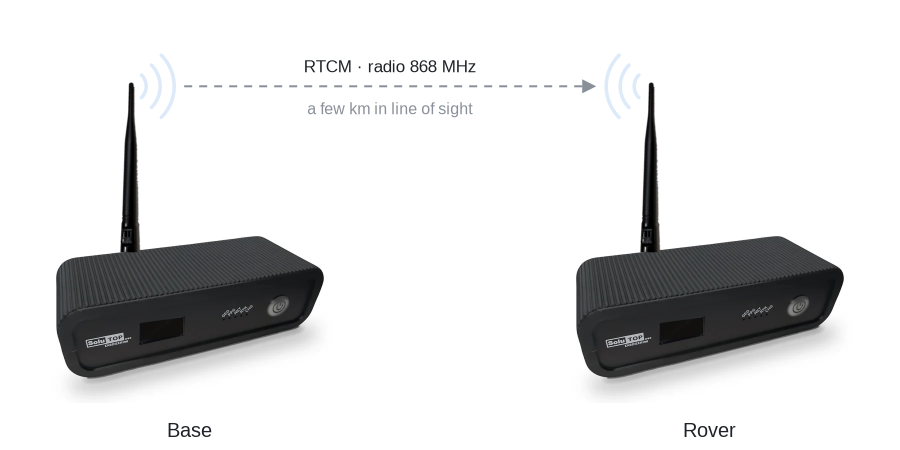
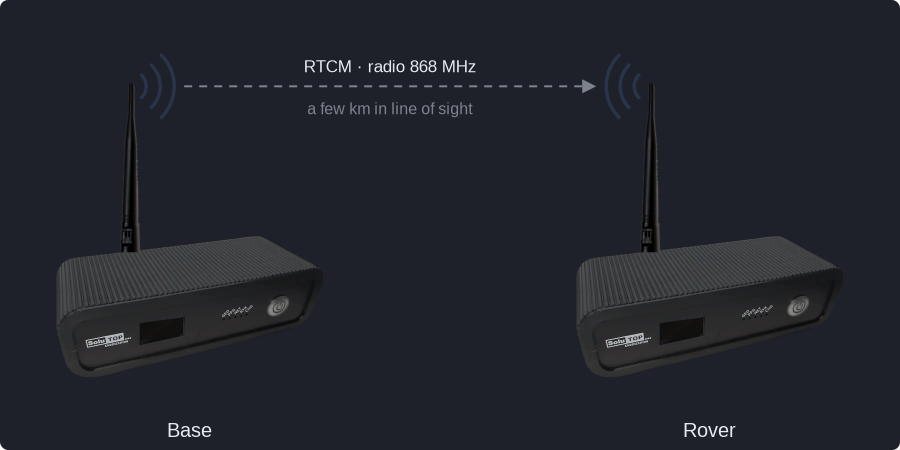
Figure 1 — Base and rover over the 868 MHz radio
Before starting: two MS2net units, each with its LOR antenna connected.
- On both units, check in Ports that Radio Baud Rate matches the radio (factory 57600), and in ESP-Now radio that Radio is Off: with ESP-Now on, the radio port is off. With the radio configuration board, check in 868 MHz radio that base and rover have the same Channel and the same Air rate.
- On the base, choose Survey-In or Fixed in Base. Press EU 868 MHz in Base › RTCM Rates: the set made for the 868 MHz radio (the rover keeps its RTK fix, 1.4 cm measured).
- On the base, set Startup Mode to Base, then press Save and Exit. Place it
under open sky: the display shows Base, then
Xmittingand a risingRTCM:counter. - On the rover, set Startup Mode to Rover, then press Save and Exit: the double circle blinks (RTK float) and then turns steady (RTK fix).
The 868 MHz radio and the regulations
The radio works in the 868 MHz band, free and license-exempt in Europe, where the rules set the maximum radiated power (25 mW e.r.p.) and ask not to take up the channel longer than needed. This is why the two radios leave the factory at 868.125 MHz and 13 dBm with the supplied 3 dBi antenna, and the base sends the reduced messages of EU 868 MHz, which keep the radio transmitting as little as possible.
On the stations with the radio configuration board these settings (channel, power, speed over the air) are changed from the page, choosing only among compliant values: see 868 MHz radio. Without the board they can be changed only on the radio itself, with a USB adapter connected directly to it. Whoever changes them, or fits a different antenna, must follow the radio regulations in force where the station is used.
Only one base transmits on each channel: see One base per channel.
4 · Base and rover over ESP-Now
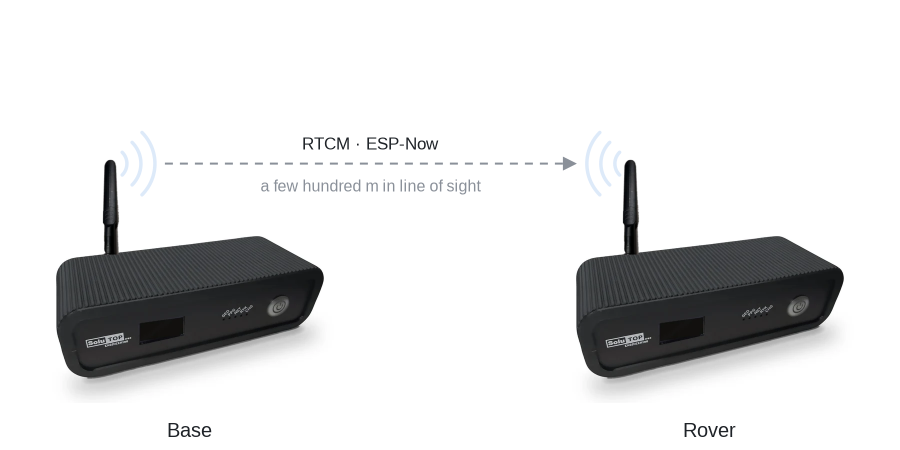
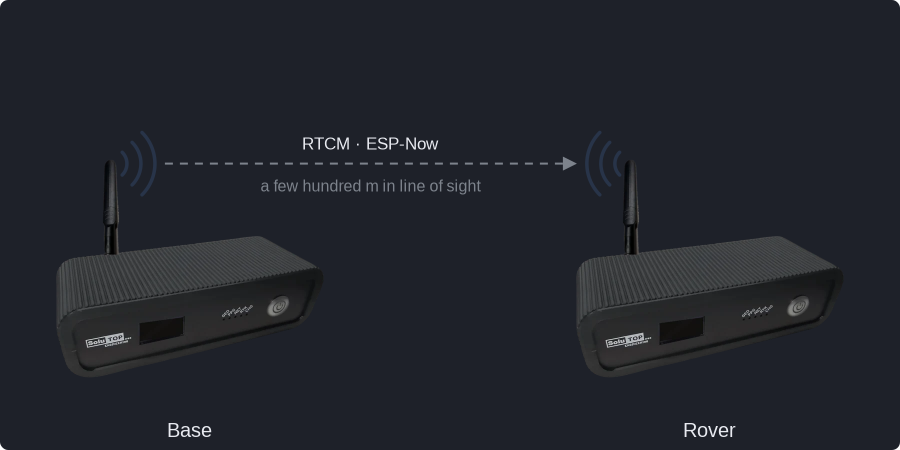
Figure 2 — Base and rover over ESP-Now
Before starting: two MS2net units, each with its ESP antenna connected, and WiFi off on both or both on the same network, since pairing needs the same channel (see Radio channel and WiFi).
- Place the two units close together and choose E-Pair from the button menu on both. The display shows ESP-Now Pairing, then ESP-Now Paired: both have set Radio to ESP-Now and started as rovers (see ESP-Now radio › Quick setup).
- On the base, choose Config from the button menu, open the page and choose Survey-In or Fixed in Base. The base may stay on WiFi; the rover keeps WiFi off and finds the base's channel by itself (see Radio channel and WiFi).
- On the base, set Startup Mode to Base, then press Save and Exit: the
display shows Base, then
Xmittingand a risingRTCM:counter. - Leave the rover as it is: after pairing it works as a rover. The ESP-Now icon alternates with the incoming arrow, the NET LED blinks cyan while corrections arrive, and the double circle blinks (RTK float) and then turns steady (RTK fix).
Without pairing: with Broadcast Override on (factory), skip step 1 and set Radio to ESP-Now in ESP-Now radio on both units, together with steps 2 and 3 on the base and Startup Mode on Rover on the rover.
Several bases on the same site: give each base and its rovers their own ESP-Now Network Key, so that every rover takes only the corrections of its base. When updating the firmware, update the rovers before the base (see ESP-Now radio › Packets and network key).
Rover out of reach of the base: place another rover in between with ESP-Now Relay on; it passes the corrections on to the rovers that do not hear the base well.
No base on site, but WiFi with Internet at one point: a rover there with the NTRIP client, Radio on ESP-Now and ESP-Now Gateway ticked becomes the gateway and passes the caster's corrections on to the other rovers. A whole network of stations built this way is described in Monitoring network.
Example: a fixed base on a roof
An MS2net installed to stay: base in Fixed, antennas on a mast above the roof, station in a weatherproof box on the chimney, powered by a solar panel. It sends the corrections to the rovers over the 868 MHz radio (recipe 3) and over WiFi it can also send them to an NTRIP caster (recipe 2).
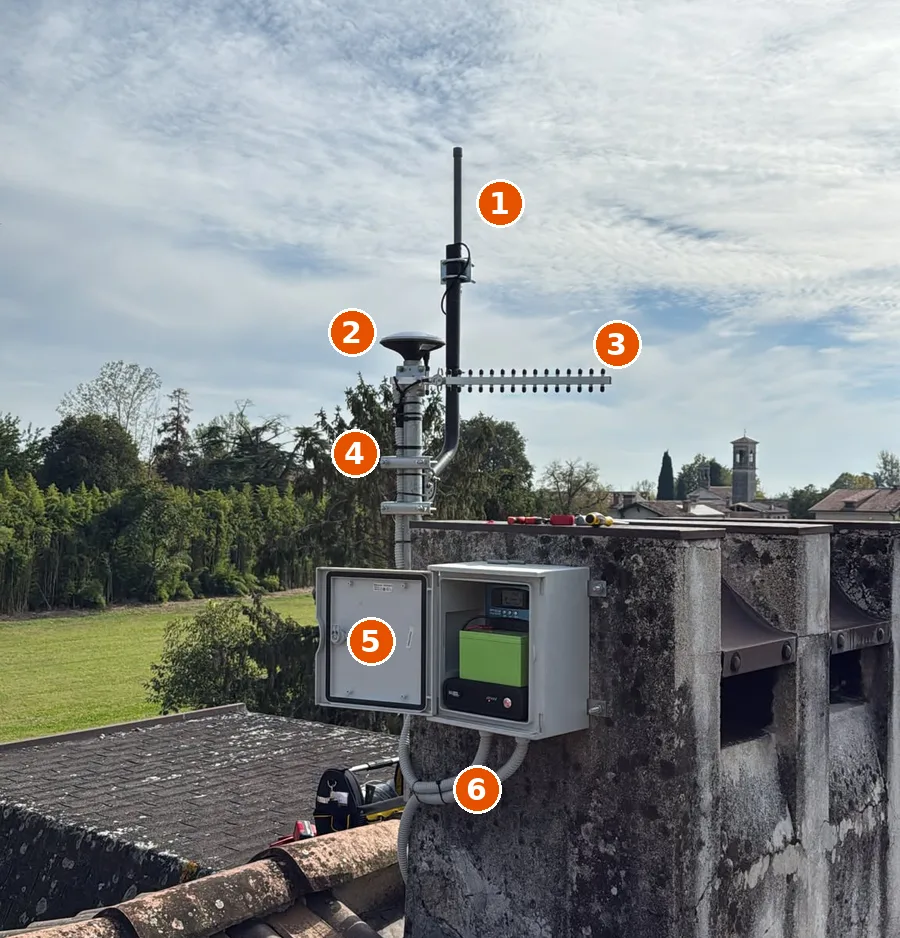
Figure 3 — Fixed base on the roof
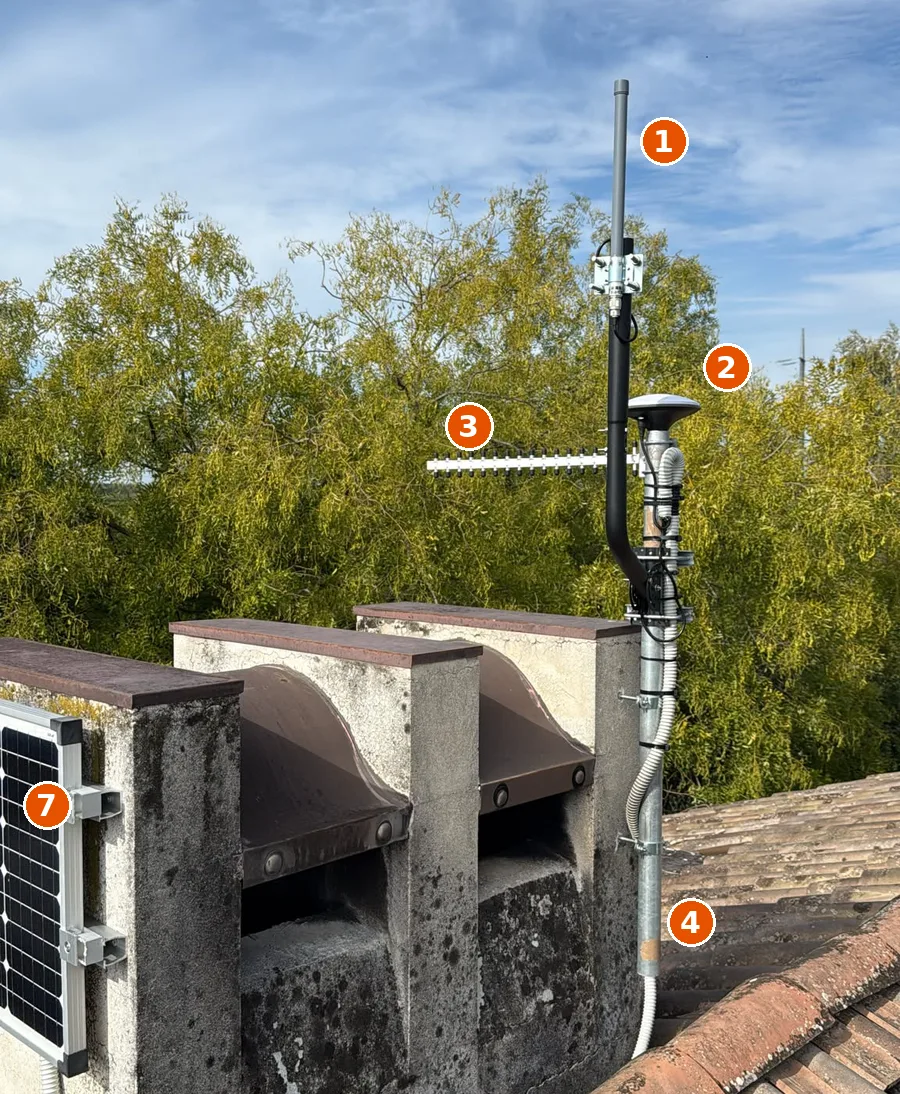
Figure 4 — The antenna mast
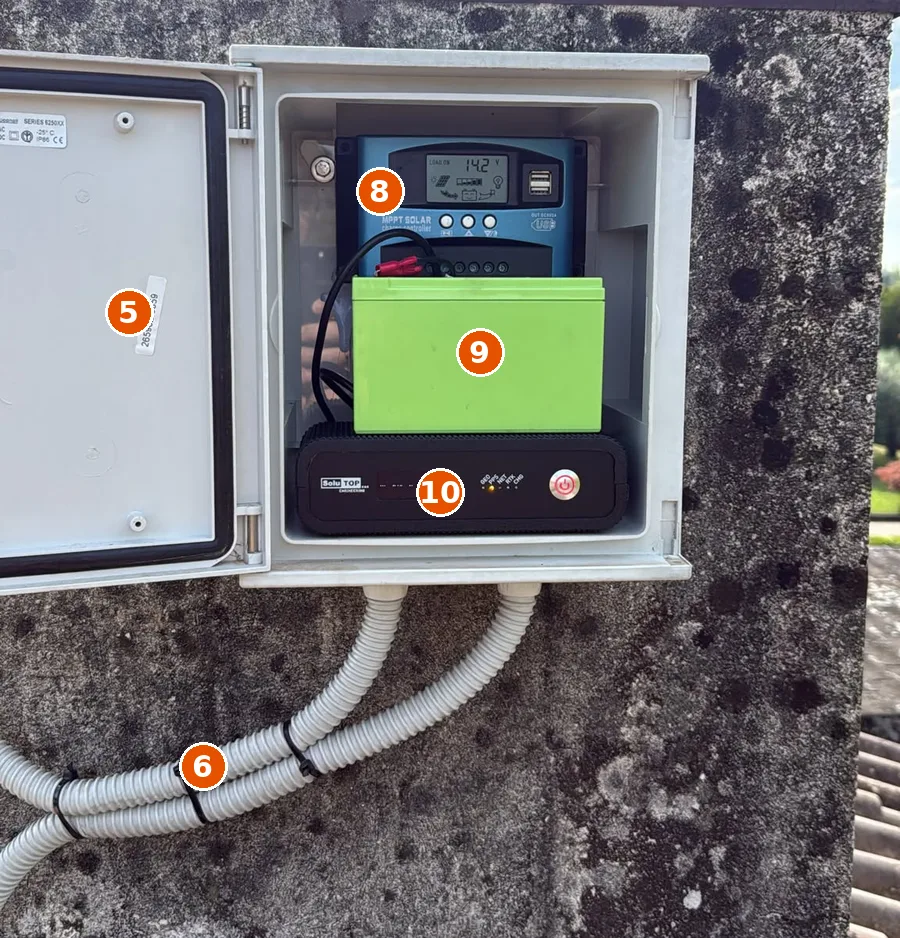
Figure 5 — Inside the box
| No. | What | What it is for |
|---|---|---|
| 1 | 868 MHz radio antenna, long and thin, at the top of the mast | Sends the radio corrections to the rovers; connects to LOR |
| 2 | GNSS antenna | Receives the satellites, with open sky all around; connects to ANT with the coaxial cable |
| 3 | Directional WiFi antenna (Yagi), aimed at the router | Links the station to the network and the Internet; connects to ESP |
| 4 | Galvanised mast with brackets | Holds the three antennas, fixed to the chimney |
| 5 | Weatherproof box | Keeps rain and dust off the station, regulator and battery |
| 6 | Corrugated conduits | Bring the antenna and panel cables into the box |
| 7 | Solar panel | Charges the battery by day |
| 8 | Solar charge regulator (MPPT) | Charges the battery from the panel and powers the station |
| 9 | Battery | Powers the station at night and under cloud |
| 10 | The MS2net reference station | Works as a base, in Fixed on the coordinates of the point (Survey-In or Fixed) |
Antennas other than those of the kit
Here the 868 MHz radio and the WiFi use antennas other than those supplied. An antenna with more gain raises the radiated power, which has a limit in Europe: 25 mW e.r.p. at 868 MHz and 20 dBm e.i.r.p. at 2.4 GHz. For WiFi, lower Max WiFi Power until power plus antenna gain stays within 20 dBm; the power of the 868 MHz radio is changed in 868 MHz radio or on the radio itself (see Base and rover over the 868 MHz radio).
Reading the RTK state
| Solution | Display (7) | RTK LED |
|---|---|---|
| Standalone position, or none |  Single circle |
Off |
| RTK float |  Double circle, blinking |
Blinking |
| RTK fix | Double circle, steady |
Steady |
In base the RTK LED stays off. Every screen is in The display, the LED in Hardware › RTK LED.
The rover converging
The screens of a rover going from no position to RTK fix are in The display › From no position to RTK fix.
Reading the base state
| State | Display |
|---|---|
| Waiting for the accuracy needed to start (Survey-In only) | Base icon and circle blinking, current accuracy |
| Survey-In running | Base icon blinking, Mean: accuracy reached, Time: seconds elapsed |
| Transmitting | Base icon steady (fixed-base icon with Fixed), Xmitting and a rising RTCM: counter |
| Transmitting, also to a caster |   Casting and the RTCM: counter; top left, the WiFi icon alternates with the outgoing arrow |
The screens are in The display › In base mode: waiting and survey-in, transmitting, and casting to an NTRIP caster.