MicroSD logging
Where: Panel › System Configuration, from Log to SD Card · Serial menu 5
The MS2net reference station records the output of its GNSS module on a microSD card in the LOG slot on the rear panel, with no PC or phone connected.

Figure 1 — Rear: LOG microSD slot
When it records
Recording starts by itself, in rover and in base, when all three conditions are met:
- a card is in the slot and can be written;
- Log to SD Card is ticked (factory value);
- the station has taken date and time from the satellites: until then the file has no name.
The logging icon at the bottom right of the display shows the state: the sheet fills up while the file grows, and gives way to a turning arc while nothing is written (logging off, card missing or full, date and time not yet known).
A blank or unformatted card shows nothing on the display: the page says SD card not readable and the card is formatted with Format SD in the File Manager. In the animation: Format SD, then Exit, and logging starts once date and time are known (times shortened).
Figure 2 — Animation: microSD format, logging
If instead the card is read but cannot be written, at power-on the display shows Format SD Card: that card cannot be formatted from the page, format it on a computer.
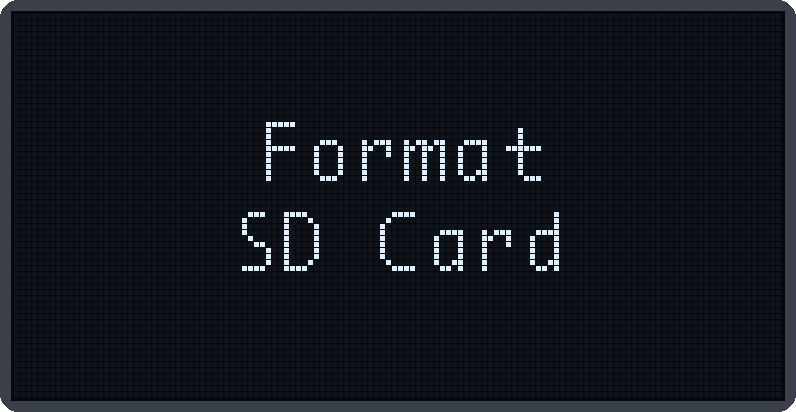
Figure 3 — Format SD Card
What it records
The file holds the messages enabled in GNSS Configuration › Message Rates, as they leave the GNSS module: NMEA sentences as text, the other messages in binary.
| Choice in Message Rates | Contents | Display icon |
|---|---|---|
| Factory, or Surveying Rates | NMEA GGA, GSA, GST, GSV, RMC: position, satellites, accuracy |  Sheet |
| Logging Rates | The same, plus the raw measurements (RXM-RAWX, RXM-SFRBX) |  Sheet with P |
| Any other selection | The messages chosen |  Sheet with C |
Post-processing
For PPK or a static session processed afterwards, press Logging Rates before starting: without the raw measurements the file cannot be post-processed.
Settings
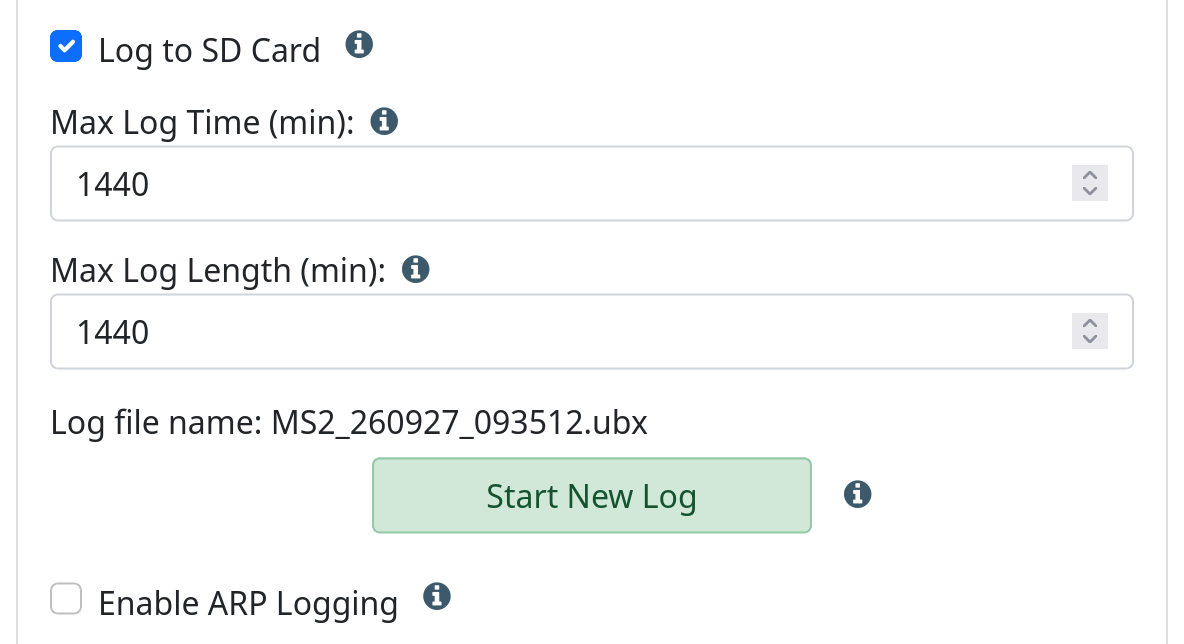
Figure 4 — Logging to the microSD card
| Field | What it does | Values | Factory | Serial |
|---|---|---|---|---|
| Log to SD Card | Records when a card is present | on, off | on | 5 → 1 |
| Max Log Time (min) | Stops the recording after this time | panel 1 to 1,051,200 (two years); serial 1 to 1,051,200 | 1440 (24 h) | 5 → 2 |
| Max Log Length (min) | Closes the file and opens a new one after this time | panel 1 to 1,051,200; serial 1 to 2880 (48 h) | 1440 (24 h) | 5 → 3 |
| Log file name | The file being written now | read only | — | shown in 5 |
| Start New Log | Closes the current file and opens a new one at once | button | — | 5 → 4 |
| Enable ARP Logging | Adds the antenna reference position received in RTCM 1005/1006 | on, off | off | 5 → 5 |
| ARP Logging Interval (s) | How often that position is written; shown with the box above | 1 to 600 | 10 | 5 → 6 |
| Write Marks_date.csv file to microSD | Inherited item: MS2net has no way to mark points, so it writes nothing. Serial menu only. | on, off | off | 5 → 7 |
| Reset system if the SD card is detected but fails to initialize | A card that cannot be read at start-up makes the station restart and try again, instead of working without logging. Serial menu only. | on, off | off | 5 → 8 |
Max Log Time gives long static sessions (overnight, for example) a fixed length; Max
Log Length splits a long session into files that are easier to handle. In the serial
menu, items 2 to 5 appear only with logging on; 4 appears and 5 acts only while a
file is open, and 6 appears only with ARP logging on. The serial menu also accepts 0,
which is of no use: as Max Log Time it records nothing, as Max Log Length it opens a new
file all the time.
Max Log Time on a permanent base
Max Log Time is counted from the first file after power-on, and the count starts again
only when the station restarts or logging is turned off with serial item 1. With the factory value a base left on stops recording
after 24 hours. For a permanent base raise it, up to
1,051,200.
Serial item 8 and a faulty card
With item 8 on, a blank, damaged or unformatted card makes the station restart
twice; from the third start it works without logging (firmware 1.3.21; up to 1.3.20 it
restarted over and over for as long as the card stayed in the slot). Replace or format
the card, then turn item 8 off. Leave it off unless the team asks for it.
The files
Each recording is named after its start date and time: MS2_YYMMDD_HHMMSS.ubx, for
example MS2_260927_093512.ubx. Switching off with the button closes the file properly
before the power goes. When the battery runs out, instead, the power is cut without closing
the file, and up to the last minute of data is lost: below 10 % switch off with the button
or connect the charger. After a restart caused by a fault (not by switching off or by a
normal restart) the recording goes on in the last file instead of opening a new one, and
the reason for the restart is written into it.
To get the files, tick them in the File Manager and press Download, or read the card on a PC.
Real-time data
The same data can be followed live over Bluetooth, and over the network with the services of TCP/UDP Configuration.